
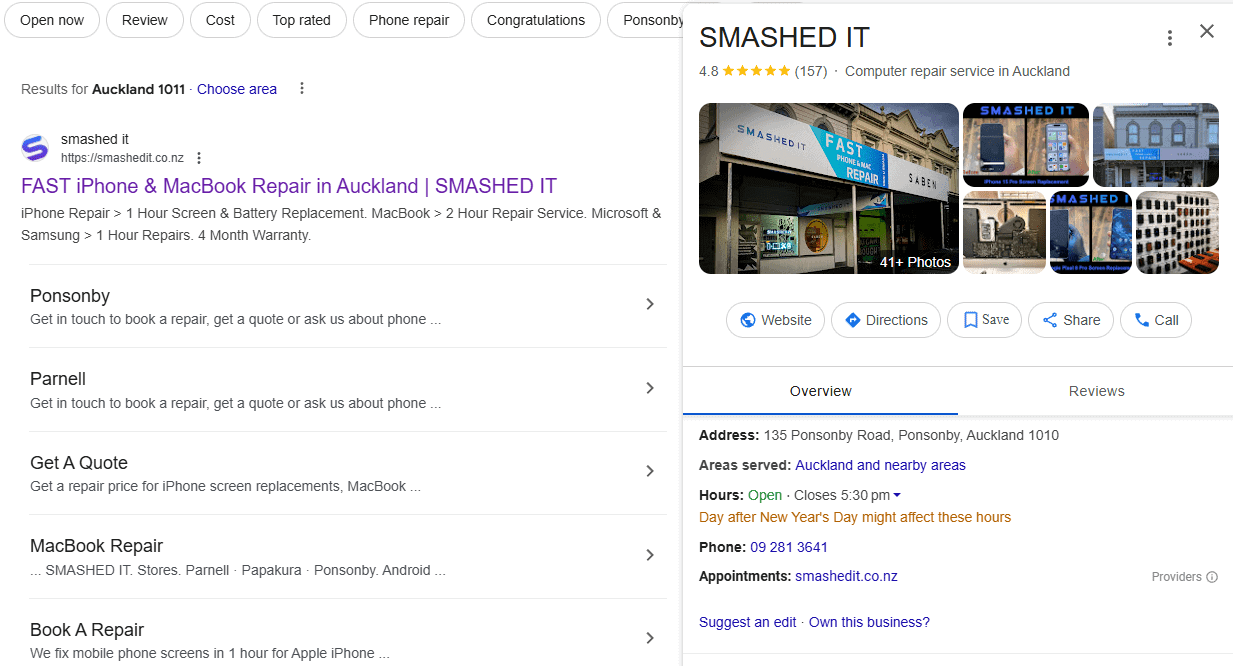
Key takeaways
- A Google Business Profile puts you on Google Maps and the local results, free.
- Set-up takes six steps: account, profile, category, location, contact details, verification.
- Keep it active with photos, current hours, and replies to every review.
Listen, if you’re running any kind of local business in New Zealand (or anywhere), not having a Google Business Profile is like throwing money in the rubbish bin every single day.
Why? Because you’re missing out on people who are literally on their phones, searching for exactly what you offer (Spoiler: they can’t find you!)
If that’s not a wake-up call, I don’t know what is.
Here’s the thing: there’s no advanced rocket science here. Setting up a Google Business Profile is one of the easiest ways to hack your way into local search results, grab more leads, and convert them into paying customers. And if you don’t do it, guess who will? Your competitors.
So let’s fix this right now.
6
Steps to a live profile
Free
Cost of a Google Business Profile
1 day
To set up, plus verification time
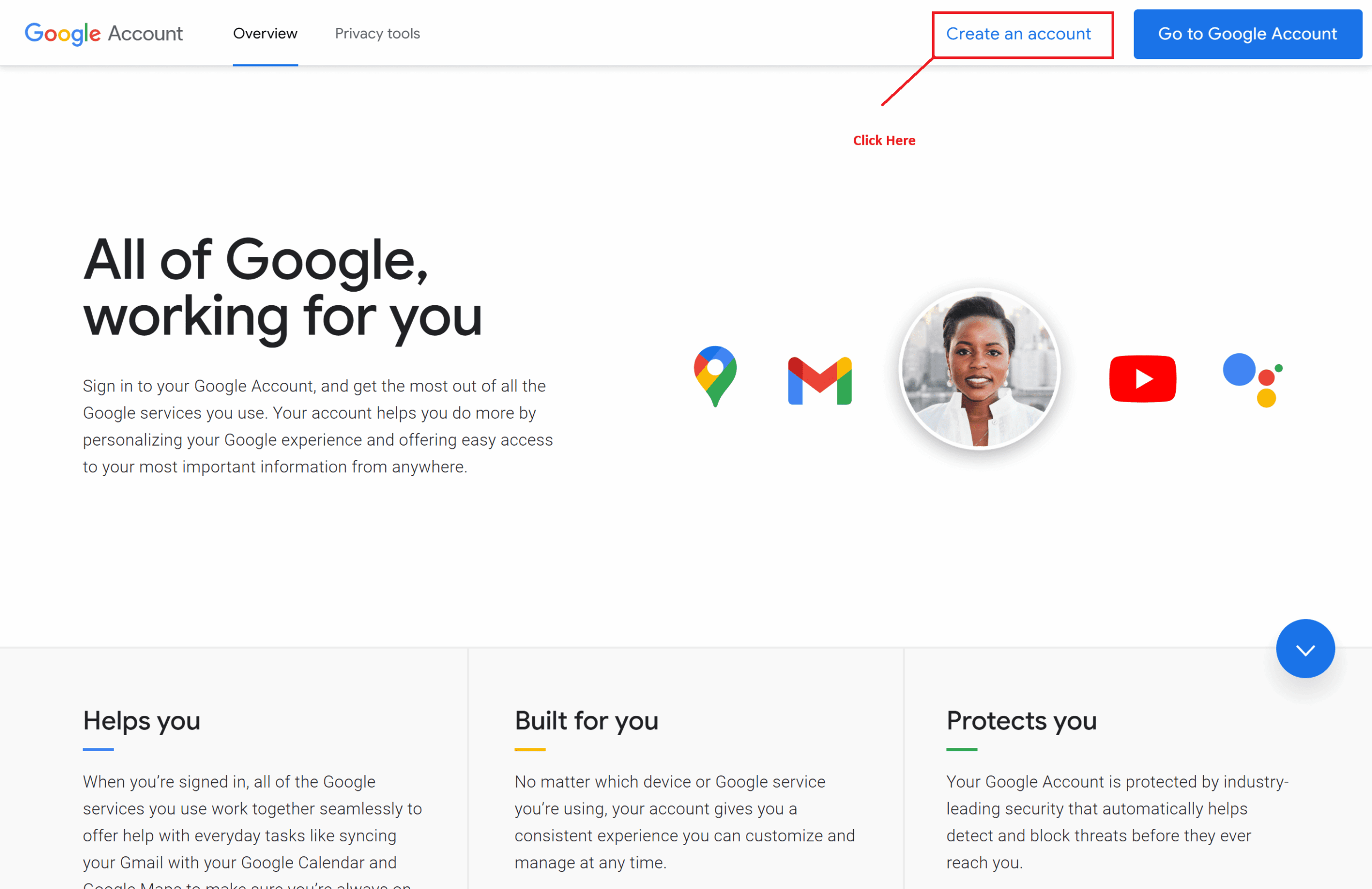
Step 1: Get a Google Account
Stop overthinking it!
Go to accounts.google.com.
Create a new one if you don’t have it already (use your business email to keep it looking legit).
Done.
Step 2: Head Over to Google Business Profile
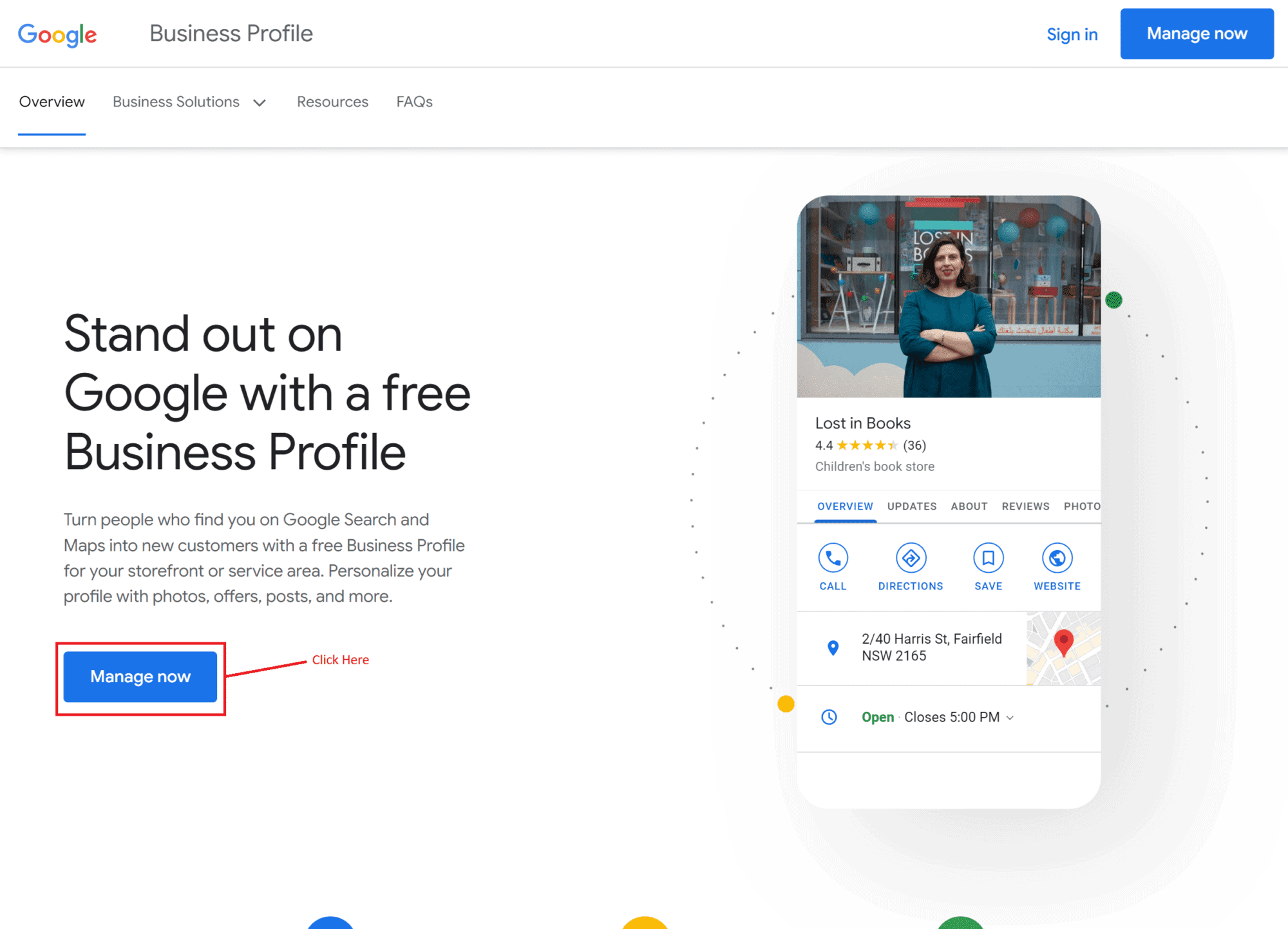
- Go to Google Business Profile.
- Click “Manage now.”
- Type your business name. If someone else has already claimed it, request ownership. Don’t freak out. Just follow the steps.
Step 3: Pick Your Category
If you run a café, select “Café.” If you’re a landscaper, choose “Landscaper.” Not “Café & General Store & Funny Hats.” Keep it tight. Specific categories rank better because Google knows exactly where to place you.
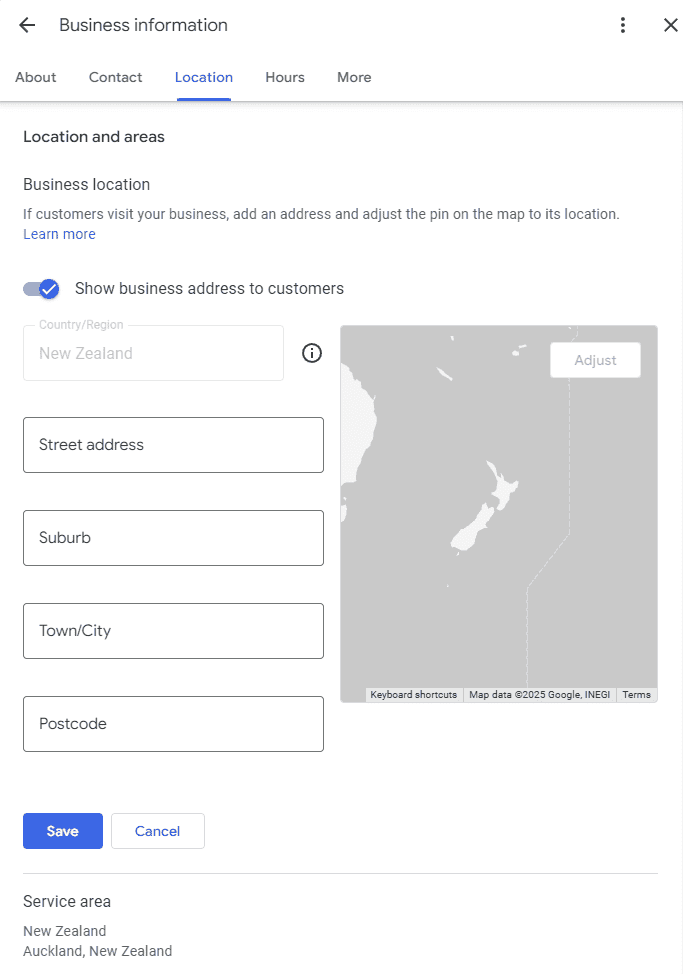
Step 4: Do You Have a Physical Location?
- Yes?
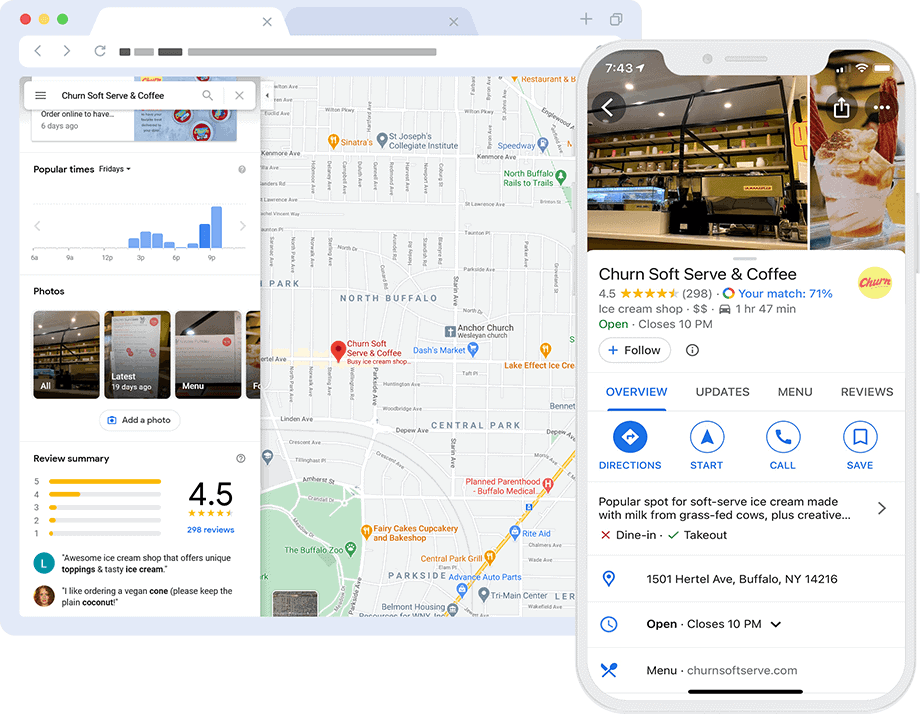
Drop your address or pin on the map. This is important because if customers can’t find your store, you don’t exist. - No?
Enter your service area. Maybe it’s all of Auckland or Christchurch. Don’t list the whole of New Zealand if you only serve one or two cities.
Step 5: Add Your Contact Details
- Your Phone Number: A direct line, please. Don’t make them talk to eight different people just to reach you.
- Your Website: If you have one, fantastic. If not, it’s time to get one. Google switched off its free Business Profile websites in 2024, so your listing needs a proper site to point to.
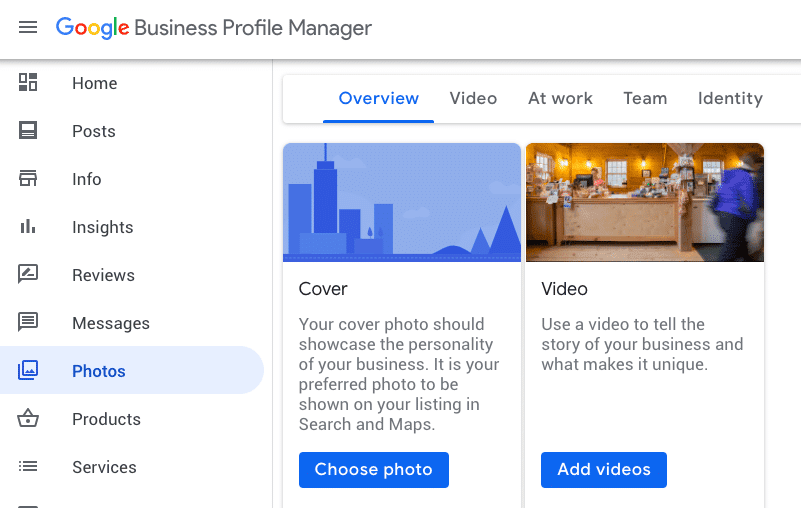
Step 6: Verify Your Listing
Last step. Click “Finish,” then verify. If you don’t verify, your listing won’t go live. That’s like putting up a billboard in your basement—no one sees it. Options vary (mail, phone, text, email), but it’s crucial you follow through.
Why This Matters
Let’s talk results. A well-set-up Google Business Profile means:
- More calls: people ring you directly from Google. That’s money on the phone.
- More clicks: your website traffic goes up, and so do conversions if you have a decent site.
- Better credibility: reviews show up, good reviews attract more customers, and Google sees the engagement, which helps your rankings.
Rapid-Fire Tips to Level Up
- Upload Photos: Show your storefront, your products, your staff. Real humans trust real images.
- Update Business Hours: Especially if you close for holidays or open late on weekends. You don’t want someone showing up to a locked door.
- Ask for Reviews: Positive reviews are free advertisement. Don’t be shy about asking your happy customers to share their experience.
- Respond to Reviews: Good or bad. Thank the 5-stars. Fix the 1-stars. Prospects read that stuff.
Final Thoughts
For a local business, it’s borderline insane not to have a Google Business Profile. It’s like building a house without a letterbox: nobody knows how to reach you.
Get this done today. Then watch the calls, clicks, and foot traffic flow in. That’s the power of leveraging Google’s massive user base. And guess what? It’s free.
So stop reading this. Head over to Google Business Profile right now, and set it up. Your bank account will thank you later.